
Watch MLS Playoffs live on FOX One. Stream MLS Cup Playoffs matches on FS1, including Nashville SC vs FC Cincinnati, Chicago Fire vs Charlotte FC, St. Louis City SC vs LAFC and Columbus Crew vs Inter Miami, with MLS Cup on FOX on Friday, Dec. 18. Tuning in late? No problem. Use DVR controls to start from the beginning, catch up on the action you missed, and then jump back into the match live. You can also hide live scores to avoid spoilers until you are all caught up. Stream MLS live on mobile, web, or supported TV devices with FOX One.
Round One of the 2026 MLS Cup Playoffs brings seven matches to FOX One, all on FS1, from Sunday, Nov. 22, through Saturday, Nov. 28. Below is the schedule:
Sunday, Nov. 22, 2026 - FS1
• Watch Nashville SC vs FC Cincinnati Game 1 - 4:00 p.m. ET / 1:00 p.m. PT
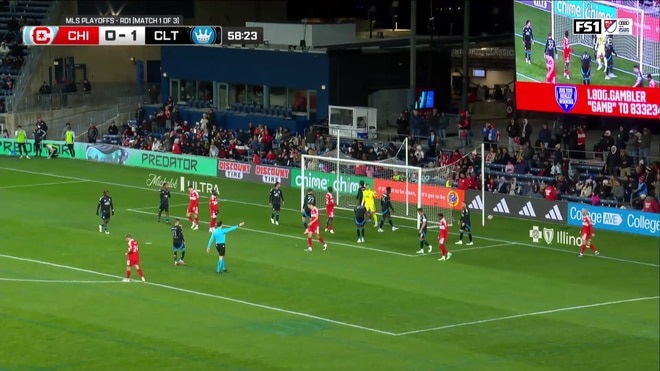
• Watch Chicago Fire vs Charlotte FC Game 1 - 6:30 p.m. ET / 3:30 p.m. PT
Monday, Nov. 23, 2026 - FS1
• Watch St. Louis City SC vs LAFC Game 1 - 8:00 p.m. ET / 5:00 p.m. PT
Tuesday, Nov. 24, 2026 - FS1
• Watch San Jose Earthquakes vs Houston Dynamo Game 1 - 10:00 p.m. ET / 7:00 p.m. PT
Friday, Nov. 27, 2026 - FS1
• Watch Columbus Crew vs Inter Miami Game 2 - 8:00 p.m. ET / 5:00 p.m. PT
• Watch Real Salt Lake vs Vancouver Whitecaps Game 2 - 10:00 p.m. ET / 7:00 p.m. PT
Saturday, Nov. 28, 2026 - FS1
• Watch Portland Timbers vs FC Dallas Game 2 - 10:30 p.m. ET / 7:30 p.m. PT
Schedule and availability are subject to change.
The 2026 MLS Cup Playoffs started Thursday, Nov. 19, with the Wild Card matches, and Round One began Saturday, Nov. 21. The playoffs end with MLS Cup on FOX on Friday, Dec. 18.
Stream select MLS Cup Playoffs matches live on FS1 with FOX One on web, mobile and supported TV devices, or sign in with your TV provider.
Stream select MLS Cup Playoffs matches live on FS1 with FOX One, plus MLS Cup on FOX on Friday, Dec. 18.
Inter Miami CF won MLS Cup 2025, beating the Vancouver Whitecaps 3-1 for the club's first title.
Using FOX One with your TV provider is easy! If you have an eligible paid TV subscription that includes the FOX networks, follow these steps to get started.
On fox.com:
1. Click TV Provider at the top of the page.
2. Search and select your provider from the list.
3. Sign in with your provider username and password.
4. Once you're signed in, you'll be automatically redirected back to fox.com.
On mobile apps:
1. Tap Connect TV Provider in the app.
2. Find and select your TV provider.
3. Enter your username and password on your provider's site.
4. After signing in, you'll return automatically to the FOX One app.
On Living Room apps (Smart TVs, Roku, etc.):
1. Select Connect Provider in the app.
2. Follow the simple instructions displayed on your screen.
3. After signing in through your provider, you'll automatically be signed into your device.
4. Now you're ready to start watching!